05 Product Design·2025·Experimental Interface·Live Website

But.tons

Exploring how AI temperature and curated ingredients can turn button design into creative experimentation.

Role
Product Design
Year
2025
Type
Experimental Interface
Status
Live Website
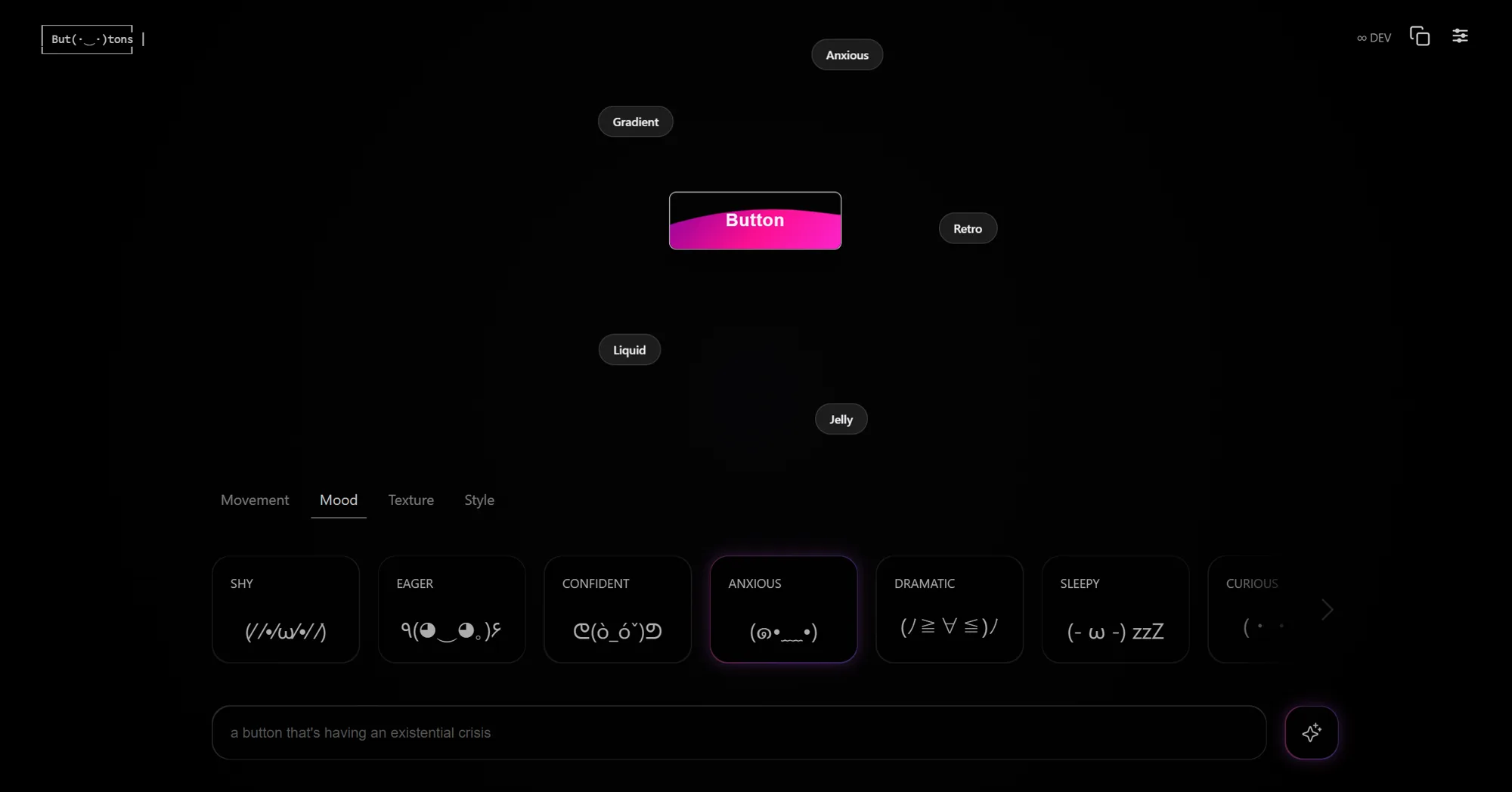
But.tons app – main canvas showing a gradient button, ingredient tabs for Mood, Movement, Texture and Style, and a prompt input bar
01
The Spark

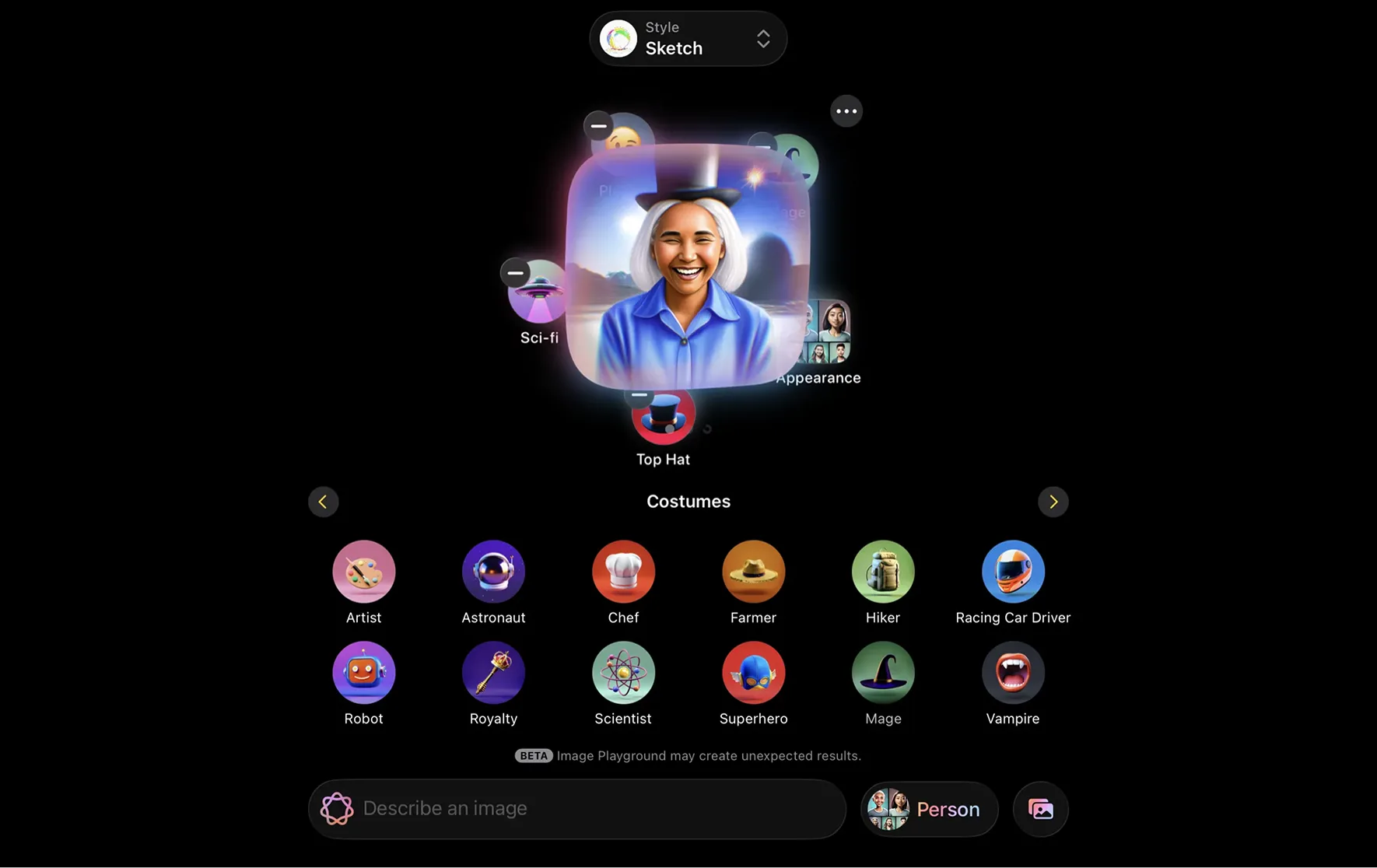
Inspired by Playground AI – applying exploration over precision to UI components

Most AI tools optimize for output. Playground AI optimizes for discovery – it encourages users to explore possibilities they didn't know existed. I wanted to apply that same philosophy to something much smaller: button design.

What if a button wasn't just a functional UI element, but a small moment of character? What if the tool encouraged experimentation instead of correctness – where getting a surprising result was the point, not a failure state?

Can a button feel expressive?

Opening concept animation – buttons shifting through different personalities, motion styles, and visual characters
But.tons · opening concept · personality through motion and form
But.tons ingredient mixing interface – Movement tab open with LIQUID, WOBBLY, GLITCHY, BREATHING, BOUNCY, FLOATING, MAGNETIC options and a magenta pill button in the canvas
But.tons · ingredient system · movement as creative direction
Playground AI interface showing style-mixing controls – the design reference that inspired But.tons
Playground AI · style mixing reference · exploration over precision
02
The Concept

Guided inputs, expressive outcomes

Curated ingredients act as a creative starting point. They don't generate the result directly – they show users what's possible and help them move beyond the familiar defaults of UI design.

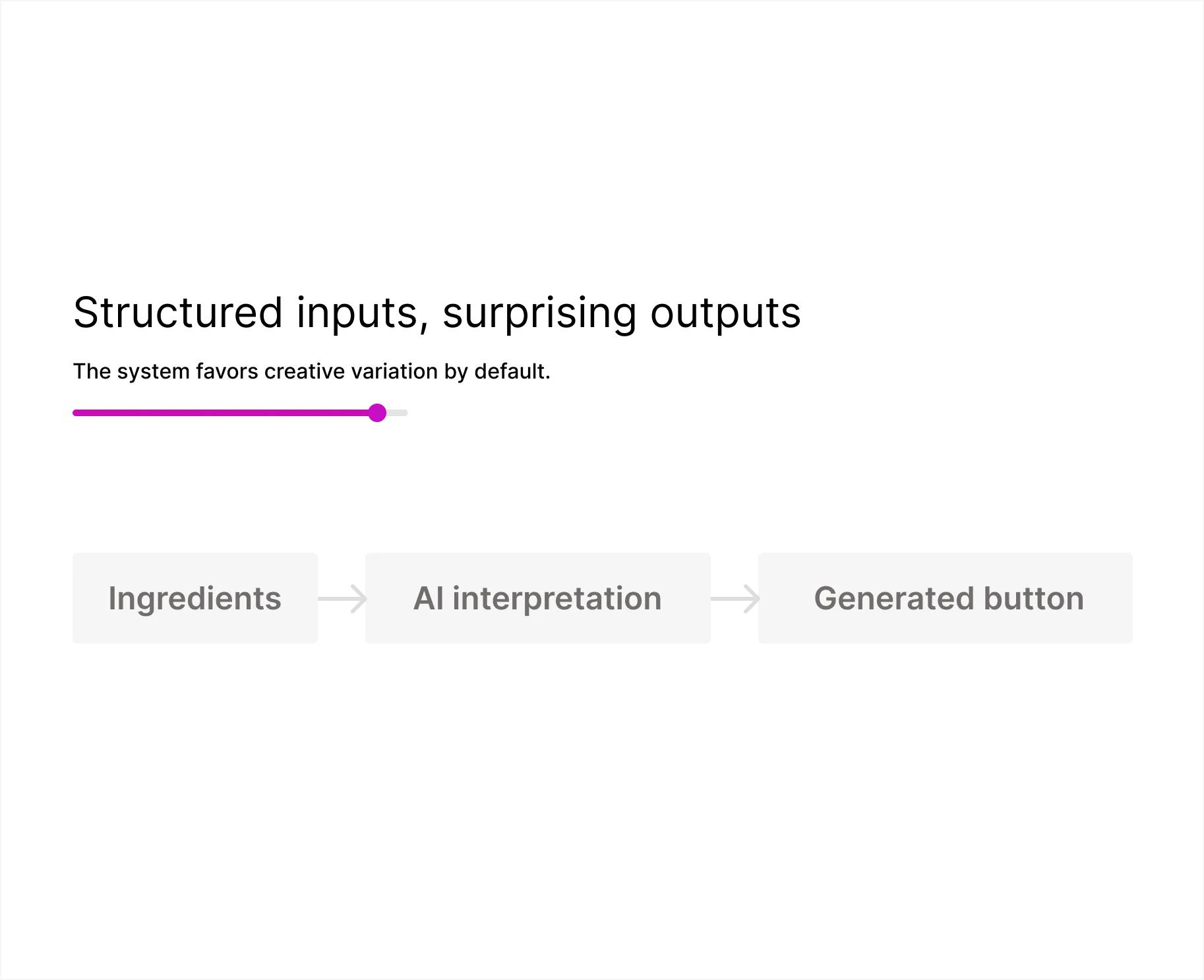
AI interpretation is the second layer. It pushes the result further, adding surprise and variation that you would rarely design intentionally. Together they form the core principle: give users a playful direction, then let the model expand the creative space.

Structured inputs, surprising outputs
01
Ingredients
Mood, movement, texture, and style – curated categories that give creative direction without dictating the result.
02
AI Interpretation
The model translates ingredient combinations into CSS – adding visual surprise and character beyond what was literally specified.
03
Generated Button
CSS output with unique visual character – shape, animation, texture, and motion – ready to explore or refine conversationally.
Temperature – controls how far the model interprets beyond the literal input
Controlled Experimental
Movement ingredient tab – selecting from LIQUID, WOBBLY, GLITCHY, BREATHING, BOUNCY, FLOATING, MAGNETIC and seeing the button respond
But.tons · movement tab · motion becomes personality
Mood ingredient tab – switching between SHY, EAGER, CONFIDENT, ANXIOUS, DRAMATIC, SLEEPY, CURIOUS and watching the button's emotional tone shift
But.tons · mood tab · emotion translated into interaction
03
The Prompt

Making the prompt quieter, not smarter

One unexpected challenge was not making the prompt more capable. It was making it more restrained.

In early versions, I asked the model to generate creative button labels alongside the CSS. It sounded like a useful addition – but it split the model's attention. It started optimizing for clever copy instead of visual character. The labels distracted from what actually mattered: shape, style, motion, texture.

The best results came when I removed that instruction entirely. A quieter prompt forced the model to concentrate. Less scope yielded stronger output.

system_prompt.txt
# But.tons – CSS Generation System Prompt You are a creative CSS button generator. # Inputs Movement {{ movement }} # e.g. LIQUID, WOBBLY, MAGNETIC Mood {{ mood }} # e.g. ANXIOUS, CONFIDENT, SHY Texture {{ texture }} # e.g. GLASSY, MATTE, METALLIC Style {{ style }} # e.g. PILL, SHARP, ORGANIC # Output rules Output only valid CSS. Do not generate button labels or text content. Focus exclusively on visual properties: border-radius, background, box-shadow, animation, transform, filter, transition # Intent-aware editing If a previous button exists in the conversation, modify only the properties relevant to the new request. Preserve everything else.
04
Intent Aware

Editing without switching modes

There is no Edit toggle. No separate mode for modifying versus generating. The model infers intent directly from the prompt – if a previous button exists in the conversation, it modifies only what was asked. Otherwise, it regenerates from scratch.

This keeps iteration fluid and preserves creative continuity. You don't interrupt the creative state to switch context. The conversation itself becomes the design history.

But.tons · intent-aware editing · refinement through language not modes
05
Hybrid Control

Not everything should be generated

The ingredient system gives creative direction. The control panel gives precision. Not every property benefits from AI interpretation – sometimes you need exact control over a specific value.

This hybrid setup keeps the experience playful while still making it usable. The model handles the expressive work; the controls handle the deliberate work. Neither gets in the way of the other.

Hybrid control panel – AI ingredient system alongside manual precision sliders working in tandem
But.tons · hybrid control · AI direction with manual precision
Mood tab showing multiple emotional states as selectable cards, with a soft blue rounded button in the canvas
But.tons · mood system · calm emotional state · soft blue output
ANXIOUS mood selected – hot pink magenta button with high-energy presence and floating ingredient labels
But.tons · mood system · anxious state · high-energy magenta output
06
Micro Moments

The project was as much about interaction as output

Expressive cards, transparent state, and a UI that stays steady while the button evolves. Every small interaction was designed to stay out of the way – to keep attention on the creative result, not the tool producing it.

Micro interaction details – ingredient card states, canvas transitions, and subtle UI behaviors in action
But.tons · micro interactions · expressive cards and transparent state

LLMs are probabilistic systems.
Variation is not a bug – it is the core of how they work.

By adding guardrails – curated ingredients, a constrained system prompt, and conversational editing – But.tons turns that probabilistic behavior into a product quality. Users stay in control while still leaving room for surprise. The randomness isn't reduced. It's made useful.